
The Street View Window
Overview
-
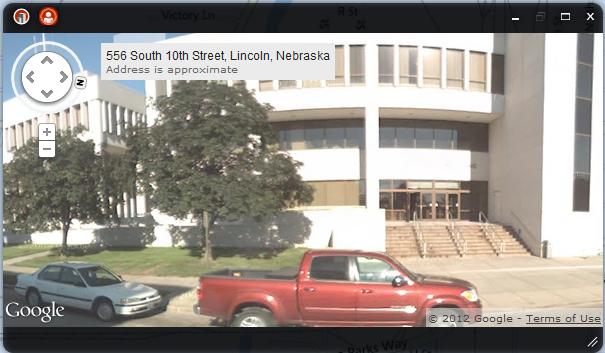
The Street View window will launch inside the Dashboard or in a new tab/browser window depending on your Dashboard's configuration.
-
If inside the Dashboard, you can resize the window by clicking and dragging the lower right corner.
-
In the top left corner you see the Oblique View icon and Street View icon. You can switch between the two views with these icons.
-
In the top right corner you see the Minimize, Restore and Maximize buttons.
-
You can close out of the Pictometry with the X in the top right corner.
-
On the map you can see controls in the upper left corner. These will let you pan the map up, down, left or right and zoom in or out.
-
If your Dashboard's configuration is to have Street View open in a new tab or window, you will see the Google Street View page when you click on a street.
The Street View Window in the Dashboard.
Related Links:

© Copyright 2011 The Omega Group. All Rights Reserved.